
A workspace influences concentration more than most people realize, and desk staging now plays a larger role as American professionals split time between home and office settings. Around 35% of full-time workers in the United States work remotely for part of the week, which turns the desk into a primary control point rather than an occasional station. Visual fields affect how the brain filters information, and controlled layouts help limit unnecessary signals. Laboratory research has shown that cluttered visual environments slow cognitive processing, which directly applies when people arrange monitors, peripherals and lighting for long work periods.
Ergonomics strengthens this connection. Clinical guidance in the United States recommends placing the monitor at eye level, keeping forearms parallel to the floor and maintaining neutral wrist alignment to reduce strain during extended computer sessions. These measurements influence where each surface item belongs, which means desk staging ideas must follow functional logic rather than visual impulse. The process is about staging a desk in a way that stabilizes posture, guides hand movement and keeps core tools within predictable reach. When staging a desk, the objective is a layout that supports steady output, reduces friction during task switches and keeps workers focused throughout demanding digital schedules.
Also Read: Dining Table Staging Ideas
Foundational Framework: How to Build a Desk Layout That Supports Daily Work
Establishing an Operational Baseline
Clear the surface completely so you can read the true limits of the workspace. Measure depth, width and legroom because these values determine how far you can place a monitor without forcing your body forward. Many federal ergonomic recommendations support a depth that leaves enough room for a neutral viewing angle and a relaxed seated posture. This kind of baseline review sets the stage for desk staging choices that follow the demands of your body rather than the shape of the furniture.
Identifying High Frequency Task Zones
Look at your routine and note which tools your hands search for the most. Place those tools inside a natural reach pattern that lets your shoulders stay still and your eyes rest easily. Keep items that you check only a few times each day slightly farther away so your movements stay predictable.
Separating Functional Tools From Visual Elements
Decide what actually supports your work and what quietly distracts you. Put functional items in stable positions and move decorative objects toward the outer edges of the surface. This approach keeps sight lines clean and strengthens every decision linked to desk staging ideas, which shapes how comfortably you move through each task.
Also Read: Kitchen Staging Ideas
Ergonomic Alignment That Shapes the Staging Process
Monitor Positioning Based on Human Factors Research
A desk layout begins to make sense only when the primary screen meets basic human factors requirements. The center of the display should sit near eye height to reduce the amount of neck flexion during long sessions. Many ergonomic studies suggest placing the screen at a distance that matches an extended arm so the eyes can maintain a softer focal range. This single decision influences the rest of the layout and guides how desk staging choices should evolve around visual comfort.
Keyboard, Pointer and Wrist Alignment for Efficiency
Hand placement affects more than typing comfort. A keyboard set at a height that keeps your forearms parallel to the surface helps protect wrist alignment during sustained work periods. Place the pointer device close to the keyboard so your shoulder remains stable and your reach does not stretch across the surface. Small adjustments like these shape how you use the space each day.
Chair, Footing and Leg Room Optimization
A chair with stable lumbar support positions the spine in a neutral shape. Feet should rest on a level surface with enough forward clearance to maintain steady circulation. These measurements reinforce the logic behind desk staging ideas, because the body dictates where tools must sit for consistent performance.
Surface Strategy: What Should Stay on the Desktop
Tools With Daily Touch Points
A work surface performs best when it holds only the tools that directly influence daily tasks. Place your primary input devices in the area that aligns with a neutral shoulder width so your hands do not drift outward during long sessions. Keep the monitor stand, active documents, and any device used for real time reference on the main plane of the desk. This helps desk staging support efficient task transitions and reduces the accumulation of items that compete for reach space.
Handling Analog and Digital Inputs Without Clutter
Many workers move between written notes and digital systems during a normal workday. Limit the number of analog materials by keeping one notebook open and storing the rest. Tablets or secondary screens should rest at a viewing angle that allows the neck to remain stable during longer work periods. This balance prevents stacking and preserves clean sight lines while you shift between formats.
Precision Object Placement for Clean Sight Lines
Sight lines matter in a technical workspace because the eyes constantly scan for next steps. Keep peripheral objects outside the central field so the brain can process information more quickly. This approach strengthens the practical value of desk staging ideas and maintains a surface that feels controlled rather than crowded.
Also Read: Small Kitchen Staging Ideas
Structural Desk Staging Ideas for Function and Visual Calm
Vertical Storage That Expands Working Space
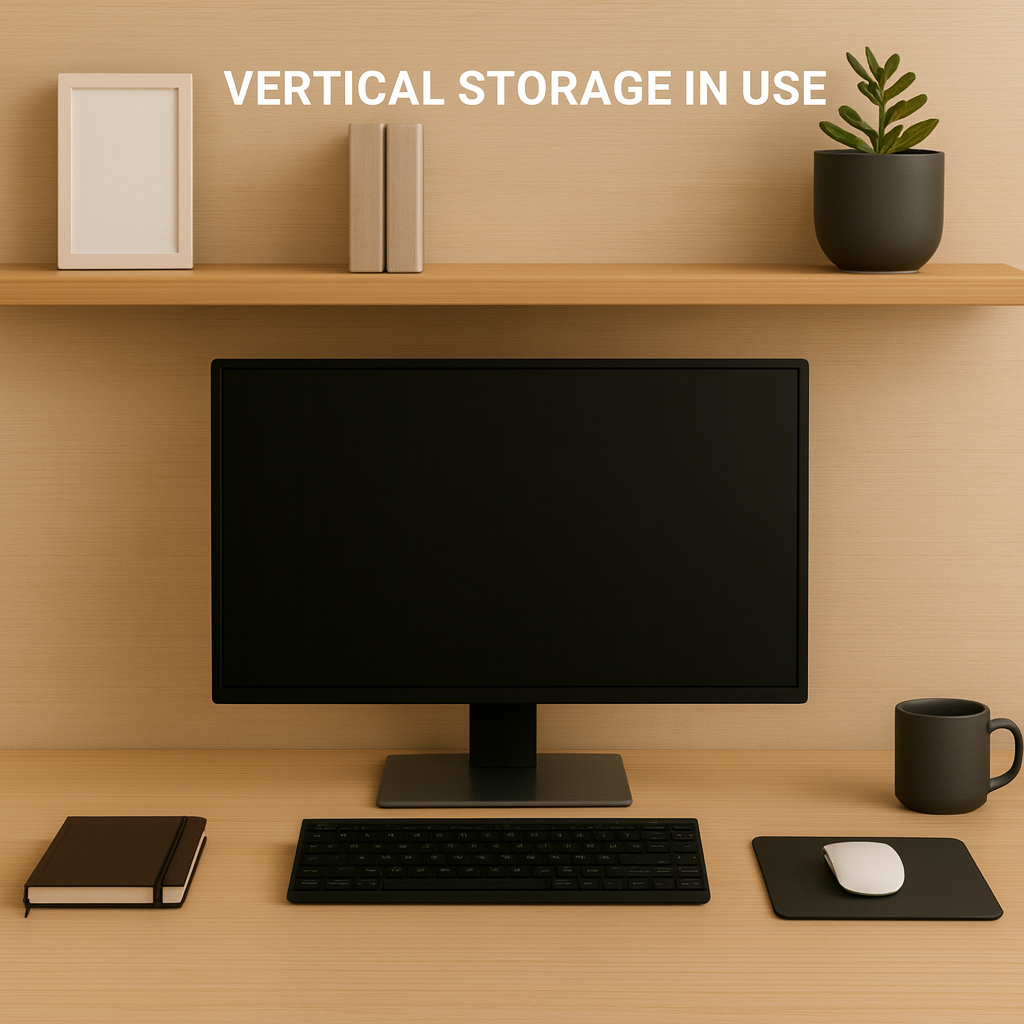
A desk earns breathing room when part of the load shifts upward. A small shelf above the monitor can hold reference guides or a single peripheral that does not need constant handling. This frees the central surface for actions that actually matter. A monitor lift with a stable base also creates usable space beneath it, which becomes a home for items that support desk staging without interrupting hand movement.
Under Desk Infrastructure for Hidden Hardware
Power blocks, adapters and backup drives work better when they stay below the surface. A simple mount fixed under the table keeps electrical components out of the visual field and stops cords from drifting into the workspace. When these elements sit in predictable positions, desk staging ideas become easier to apply because the surface no longer competes with equipment that rarely needs attention.
Micro Containers and Modular Storage for Small Objects
Loose items can slow a worker more than larger objects because they scatter easily. A compact tray with shallow compartments holds pens, memory cards or small connectors at a scale that matches their size. This helps when staging a desk because the surface reads as ordered, and your hands can return to tools without searching for them.
Visual Refinements Without Compromising Utility
Controlled Color Systems for Reduced Cognitive Load
Color behaves like any other signal in a workspace. Too many shades draw the eye in several directions and slow recognition of the tools that matter. Choose a small group of colors that already exist in the equipment you use, such as the tones of the monitor housing or the keyboard frame. This establishes a quiet backdrop that supports desk staging and allows the brain to settle into a steady rhythm during longer work periods.
Light Positioning for Clarity and Comfort
A task light earns its place only when it improves contrast without creating glare. Set the fixture to one side so the beam clears the monitor and prevents reflection across the screen. A lamp that offers a warm to neutral range helps reduce visual strain during early and late sessions. The placement of this light becomes part of your desk staging ideas, because it frames how the eyes track text and digital content.
Adding Personality Through Low Impact Decor
Decor can help the room feel lived in without interfering with work. A single plant or a framed print that sits away from the central field keeps personal identity in view while maintaining a clear line to the monitor. When staging a desk, this measured approach ensures that personality does not compete with function.
Also Read: Kitchen Counter Staging Ideas
Workflow Mapping: Positioning Items Based on Movement Patterns
Tools Used During Active Sessions
If you watch your own hands during a long workday, you will notice a pattern that repeats without much thought. The tools that drive most tasks live inside that narrow sweep in front of the torso. Place the keyboard and primary pointing device in that space so your shoulders remain quiet. Keep the main display close enough for comfortable reading but far enough to avoid constant refocusing. These placements give desk staging a foundation that grows out of real movement instead of visual preference.
Items Needed for Short, Targeted Checks
Some objects sit in a different category. They help with verification or brief notes but do not shape the central workflow. A slim notebook, a compact calculator or a secondary display can sit just beyond the primary arc. That distance still supports easy access. It also prevents your elbows from drifting outward during concentrated work. This small adjustment influences how desk staging ideas settle into the space.
Storage for Low Frequency Materials
Archival items need a clear home. A drawer on the side or a vertical holder beside the desk keeps these materials within reach but safely out of the working field. When staging a desk, this separation helps the surface feel quieter and allows your attention to stay on the immediate task instead of the surrounding equipment.
Frequent Errors That Disrupt Desk Performance
Allowing the Center of the Surface to Carry Too Much Weight
Crowding the middle of the desk forces the eyes to scan through objects before reaching the screen. This slows recognition and weakens the clarity that desk staging is meant to create.
Letting Organizers Multiply Without Solving the Actual Problem
A desk can feel even busier when several containers appear across the surface. If each organizer introduces new lids or compartments, your hands work harder to complete simple tasks. This breaks the flow that desk staging ideas try to protect.
Leaving Cables in the Direct Line of Sight
Loose cords travel across the field your eyes use for reading and digital work. A single wire can pull attention away from the monitor because the brain reacts to irregular lines.
Storing Rarely Used Items Within Primary Reach
Tools that support only occasional tasks do not belong beside the keyboard or display. Keeping them too close reduces available reach space and interrupts natural hand travel during concentrated work.
Allowing Micro Items to Drift Across the Surface
Small objects tend to wander because they are light and easy to set down without thinking. Pens, clips, and adapters work better when contained, which helps when staging a desk for predictable movement and cleaner sight lines.
Also Read: Plant Staging Ideas
Final Thoughts
A workspace becomes far more effective when every item is placed with purpose. Thoughtful desk staging supports clearer thinking, steadier posture and smoother transitions between tasks that carry real weight during long digital workdays. The structure you create on the surface influences how the eyes travel, how the hands move and how well you stay anchored to complex work. By applying measured choices rather than decoration, you shape a desk that feels steady, functional and ready for sustained attention. These decisions also set the tone for the broader room, which matters when the desk appears in photographs or remote presentations.
Power Your Workspace Visuals With Deco
Let Deco refine your workspace images with precise virtual staging that elevates lighting, structure and clarity for any desk layout. Present a cleaner and more polished setup with ease.
FAQs
1. How do I choose the right height for a desk lamp when I work long hours?
Aim for a height that spreads light across the keyboard without flooding the monitor. If the lamp softens shadows on your hands, the height is usually close to ideal.
2. Why does a desk feel harder to use when objects sit near the front edge?
Items placed too close interrupt the natural arc of your arms. The body pulls back slightly to avoid them, which slows typing and creates a faint sense of resistance.
3. What small habit keeps a desk from drifting back into clutter?
Give every item a consistent resting place. When the hands return tools to the same spot each time, clutter fades because the surface never becomes a temporary holding area.
4. How can I tell if my monitor is positioned correctly for longer analytical work?
Read a block of text for a minute and notice whether your chin lifts or drops. If the angle stays quiet, your display height is usually serving you well.
5. What should I adjust first when the desk suddenly feels uncomfortable?
Begin with chair height. Once your feet settle evenly and your lower back finds support, the rest of the layout becomes easier to read and correct.
Ready to transform your listings?
Experience the power of AI-driven virtual staging with Deco.


